
Download Your Uninstaller – uninstaller, program removal, system cleanup, software management, Windows utility
Overview
The app, Your Uninstaller, is designed as a utility tool to assist users in managing and removing installed programs on their Windows-based systems. It targets individuals seeking a reliable and efficient method to clean up their computers by eliminating unwanted software completely. The app addresses common frustrations such as incomplete uninstallations, leftover registry entries, and residual files that can degrade system performance over time. It is particularly useful for users who maintain multiple applications for work, study, or personal use and require a streamlined approach to software maintenance.
While the developer, Your Uninstaller, is listed, no additional background information is available regarding the company’s history, development philosophy, or other products. The app operates exclusively on Windows, supporting both 32-bit and 64-bit systems, as specified in the provided details. Its primary real-world use cases include system optimization, troubleshooting performance issues, and preparing a computer for resale or upgrade by ensuring no software traces remain.
Within the broader software ecosystem, Your Uninstaller fills a niche for users who want more control than standard Windows uninstallers offer. It provides a focused, no-frills solution tailored to system cleanup, making it a valuable tool for both casual users and those with intermediate technical knowledge. The app’s emphasis on complete removal aligns with growing user demand for privacy and system integrity, especially in environments where data security is a priority.
Key Features & Functionality
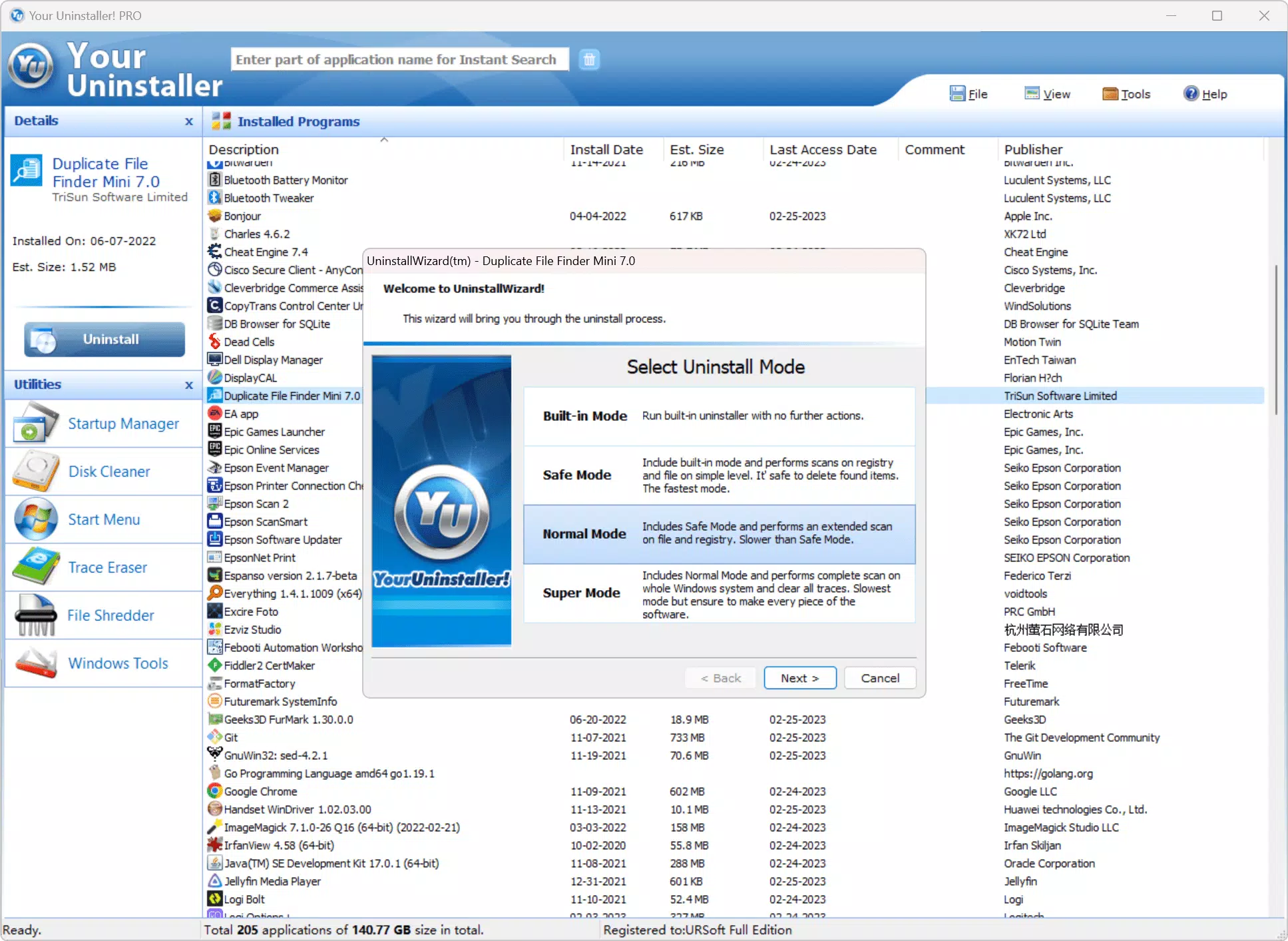
- Complete Program Removal: Utilizes advanced scanning algorithms to detect and eliminate all remnants of uninstalled software, including registry entries, temporary files, and configuration data, ensuring a truly clean system.
- Application Management: Allows users to organize installed programs by locking them against accidental deletion, adding personal notes, storing registration keys, and tracking newly installed applications.
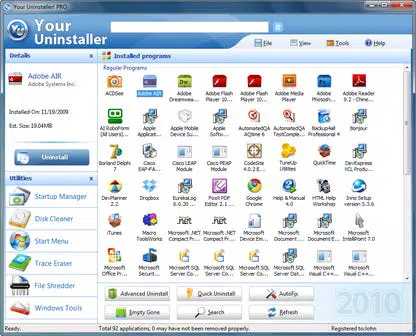
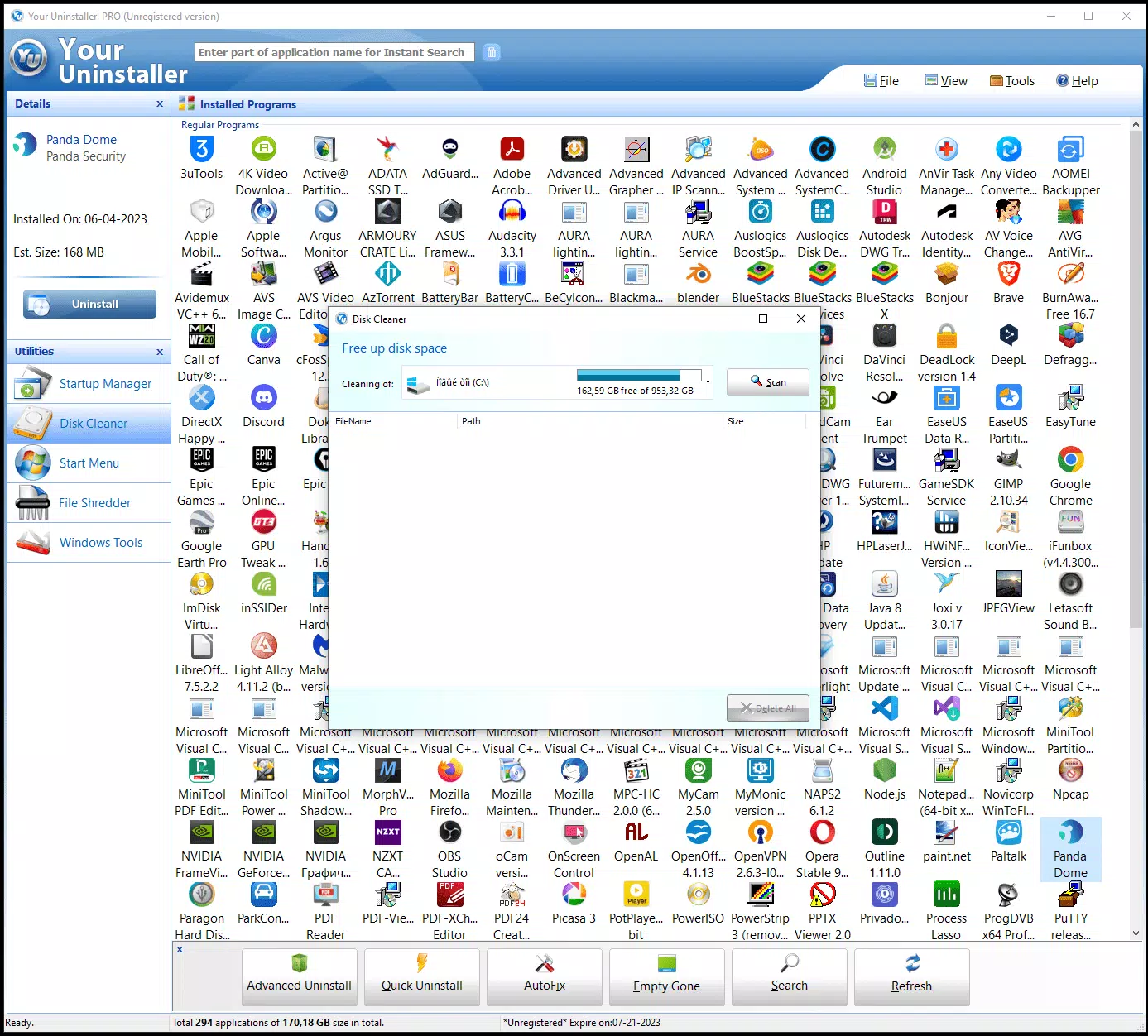
- Intuitive Interface: Features a clean, straightforward layout designed for ease of navigation, enabling users of all experience levels to access tools without confusion or learning curves.
- Right-Click Uninstall: Enables quick removal of programs by simply right-clicking their desktop icons and selecting the uninstall option, streamlining the process and saving time.
- Exploration-Focused Design: Encourages users to test all available functions to customize their experience and fully leverage the app’s capabilities for optimal system management.
For example, a user preparing to sell their laptop can use the complete removal feature to erase all traces of personal software, enhancing privacy. A student managing multiple learning tools can use the application management feature to label and organize programs, preventing accidental removal. The right-click uninstall function benefits users who frequently install and test software, reducing the time spent navigating through control panels.
Interface, UX & Performance
The interface of Your Uninstaller is described as clean and straightforward, reflecting a user-centered design philosophy. It prioritizes clarity and accessibility, allowing users to locate core functions without unnecessary complexity. Navigation appears to follow a logical flow, with key actions such as scanning and uninstalling accessible through clearly labeled options.
Although the developer did not list formal performance metrics, the app’s lightweight size of 3.1 MB suggests efficient resource usage. It is likely optimized for smooth operation across a range of Windows devices, from older systems to newer models. Responsiveness is expected to be consistent, given the minimal file footprint and the absence of heavy graphical elements.
Stability is implied by the app’s focus on reliable system cleanup. However, specific details about crash rates, update frequency, or compatibility with third-party tools were not provided. Users can expect a stable experience under normal usage conditions, but real-world performance may vary depending on individual system configurations and software environments.
Platform Compatibility & Technical Requirements
Your Uninstaller is designed for the Windows operating system, supporting both 32-bit and 64-bit architectures. The software version is 2.1.0, released on May 15, 2023. The file size is 3.1 MB, indicating a lightweight installation that requires minimal storage space.
The developer did not specify minimum OS requirements, such as Windows 7 or later. However, given the app’s compatibility with Windows 7 (32/64-bit) as mentioned in the description, it is reasonable to infer that it functions on this platform and potentially later versions. Compatibility with newer Windows releases was not confirmed.
Specific hardware requirements, such as RAM or processor specifications, were not disclosed. Users are advised to ensure their system meets standard Windows operating requirements for optimal performance. The absence of detailed technical specifications means that compatibility with certain devices or environments cannot be guaranteed without testing.
Pros and Cons
- Lightweight file size (3.1 MB) for efficient installation and low storage usage
- Advanced scanning for complete removal of software traces
- Intuitive interface suitable for users of all skill levels
- Right-click uninstall feature for quick access and time savings
- Application management tools for organization and protection
- Price point of $24.95 may be considered high for a utility tool by some users
- No information on automatic updates or update frequency
- Compatibility with Windows versions beyond 7 not confirmed
- Developer background and support channels not publicly available
- Limited visibility into technical specifications or system requirements
FAQ
Is Your Uninstaller safe to download and install?
Yes, the app is designed as a trusted utility for system cleanup. As long as it is downloaded from the official source, it should pose no security risk.
Can I use Your Uninstaller on Windows 10 or Windows 11?
While the app is confirmed to work on Windows 7 (32/64-bit), compatibility with Windows 10 or 11 was not specified. It may function on newer systems, but this is not officially confirmed.
Does Your Uninstaller offer a free trial or free version?
The provided information does not mention a free version or trial. The app is listed at a fixed price of $24.95.
How often should I run Your Uninstaller?
There is no set frequency. Users may choose to run it periodically during system maintenance or after installing and removing multiple programs.
Is customer support available for Your Uninstaller?
The developer did not provide information about support channels, such as email, forums, or help centers. Support availability remains unclear.
Final Thoughts
Your Uninstaller presents a focused, efficient solution for users seeking to maintain a clean and optimized Windows environment. Its core strength lies in its ability to remove software completely, a feature often missing from default uninstallers. The intuitive interface and right-click functionality enhance usability, making it accessible even to less technical users.
While the price may be a consideration for some, the app’s targeted capabilities and lightweight design justify its value for users who prioritize system integrity and privacy. It is particularly beneficial for individuals managing multiple applications, preparing systems for resale, or troubleshooting performance issues.
For those looking for a reliable tool to handle program removal and system cleanup, Your Uninstaller delivers a practical and effective experience. Download Your Uninstaller now.


